Best USB-C Hub for Laptop: Top Picks for 2026
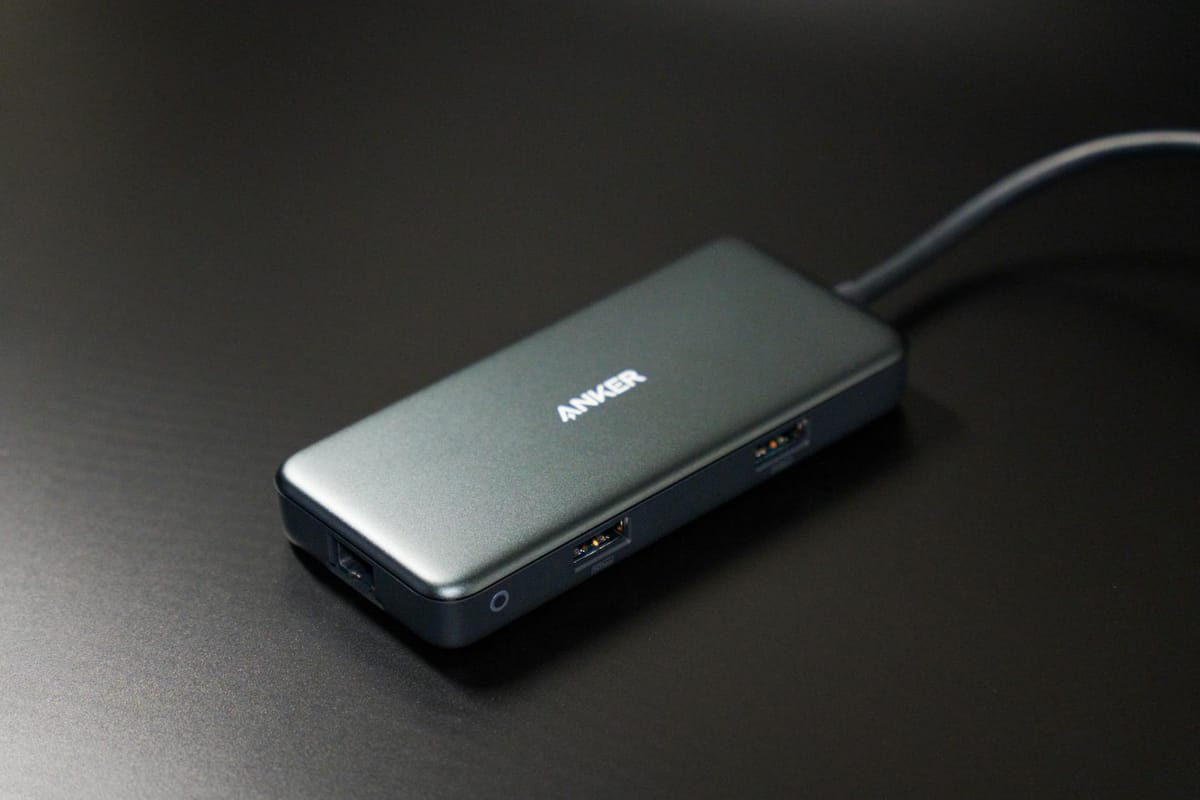
If your laptop is running low on ports, the best USB-C hub for laptop use adds the connections you need without the bulk of a full docking station. A quality hub can deliver HDMI output, USB-A ports, USB-C data, SD card slots, Ethernet, and pass-through charging in one compact accessory you can take anywhere.
For most people, the best choice is a 7-in-1 USB-C hub with 100W power delivery pass-through, 4K HDMI at 60Hz, two USB-A ports, a USB-C data port, and SD or microSD card slots. It covers the everyday needs of students, remote workers, and travelers at a practical size and price.
This guide explains what to buy, which features actually matter, and when a docking station makes more sense than a hub. If you also carry your computer daily, pairing the right hub with one of the best travel laptop backpacks can make a mobile setup much easier. We lead with the best overall pick, then break down the top options by use case.
Our Top Pick: The Best USB-C Hub for Laptop Users in 2026
If you want the short answer: buy a well-built 7-in-1 USB-C hub. For most buyers, it is the best USB-C hub for laptop setups because it balances port selection, charging output, portability, and cost better than larger or cheaper alternatives.
A strong 7-in-1 model should include:
- 100W USB-C power input with meaningful pass-through charging to your laptop
- 4K HDMI at 60Hz for smooth, responsive external display use
- Two USB-A ports for mice, keyboards, headset receivers, and flash drives
- One USB-C data port for newer external drives and accessories
- SD and microSD card slots for fast, cable-free file transfers
Why this hub type wins:
- It handles everyday work without becoming a desk-only accessory.
- It travels well and fits easily in a laptop sleeve or bag pocket.
- It suits most modern laptops, including MacBook Air, MacBook Pro, Dell XPS, HP Spectre, and Lenovo Yoga models with USB-C display support.
- It avoids the compromises common in cheap hubs — weak charging, 4K at 30Hz only, or unreliable port performance under load.
If you keep your laptop at one desk with multiple monitors and many peripherals, a docking station may be the smarter buy. But for most people searching for the best USB-C hub for laptop use, a quality 7-in-1 hub is the sweet spot.
What to Look for in the Best USB-C Hub for Laptop Use
Power Delivery That Matches Your Laptop
Look for 85W to 100W pass-through charging. Many hubs list 100W input, but some of that power runs the hub's own controller and ports. The laptop may receive noticeably less than the number on the box.
That is fine for most ultrabooks and 13-inch to 14-inch laptops. If you use a larger or higher-performance laptop, compare the hub's real output against your original charger wattage. If the hub cannot supply enough power, charging will slow down under load.
Display Output That Feels Smooth
Display support is where many buyers make costly mistakes. Some budget hubs offer only 4K at 30Hz. That works technically, but it feels noticeably less smooth for cursor movement, scrolling, and daily office work.
If you use an external 4K monitor, aim for 4K HDMI at 60Hz. Also confirm that your laptop's USB-C port supports video output — a hub cannot create display capability the laptop does not already have. For a deeper explanation of USB-C, USB4, and display capabilities, the USB Implementers Forum is a reliable reference.
The Right Port Mix for Your Routine
The best USB-C hub for laptop buyers usually need a practical mix of ports, not the highest port count available.
- HDMI for a monitor or TV
- USB-A for a mouse, keyboard, headset receiver, or flash drive
- USB-C data for SSDs, phones, and newer accessories
- SD or microSD for camera and media file transfers
- Ethernet for stable wired internet at a desk
If you will never use VGA or extra slow USB ports, do not pay for them. Every unnecessary port is a trade-off in size, heat, or price.
Build Quality and Heat Management
Hubs get warm during simultaneous charging, display output, and file transfers. That is normal. A metal or aluminum housing helps spread heat more effectively than plastic, and a sturdy built-in cable typically outlasts a thin, detachable one.
Pay close attention to cable strain relief near the connector. It is a small detail, but it affects long-term durability more than most buyers expect.
Best USB-C Hub for Laptop Setups by Use Case
Best Overall: 7-in-1 USB-C Hub
This is the version most people should buy. A quality 7-in-1 model gives you HDMI, two USB-A ports, USB-C power delivery, USB-C data, and SD or microSD slots in a compact, travel-ready body.
It is the best USB-C hub for laptop users who want one accessory that handles work, school, and travel. You can charge the laptop, connect a monitor, and keep key accessories plugged in — without carrying a full desktop dock.
Best for: everyday users, students, hybrid workers, and frequent travelers.
Why it wins: the best balance of useful ports, compact size, and price.
Best for Desk Setups: 8-in-1 or 9-in-1 Hub with Ethernet
If your laptop spends most of its time on a desk, choose a USB-C multiport hub with Gigabit Ethernet. Wired internet remains valuable for video calls, cloud backups, and large downloads — especially on crowded home Wi-Fi networks.
This hub type usually includes the same core ports as a 7-in-1 model, plus Ethernet and sometimes an extra USB-A port for additional accessories.
Best for: home offices, remote workers, and fixed desk setups.
Watch for: reliable Ethernet throughput, sufficient charging headroom, and 4K 60Hz HDMI rather than 30Hz-only output. If your setup also includes a separate input device, these hubs pair especially well with wireless and Bluetooth mice for a cleaner desk.
Best for Travel: Slim 5-in-1 USB-C Hub
If low weight and small size matter most, a 5-in-1 USB-C hub is the better pick. These compact models typically include HDMI, one or two USB-A ports, and USB-C charging — with some adding a card reader.
A travel hub is not always the best USB-C hub for laptop buyers who connect many accessories at once, but it works well for airport lounges, hotel desks, and coffee shops.
Best for: light packers and users who mainly need charging and one external display on the road.
Trade-off: fewer ports, less flexibility, and typically no Ethernet.
Best for Creators: Hub with Fast Card Readers and USB-C Data
If you work with cameras or external SSDs, prioritize fast SD and microSD card readers and a proper USB-C data port with USB 3.x speeds. Those features matter far more than an extra slow USB-A port.
Many cheap hubs include card slots, but real-world transfer speeds can be disappointing. If you move RAW photos, large project files, or 4K video footage, that limitation becomes obvious quickly.
Best for: photographers, videographers, and editors using a laptop as their primary machine.
Look for: clear specs on card-reader standards and USB 3.x data speeds, not just port count.
Common Mistakes When Buying a USB-C Laptop Hub
Confusing a Hub with a Docking Station
A USB-C hub is designed for portability and lighter port expansion. A docking station is larger, typically has its own power supply, and works better for permanent desk setups with multiple displays and many peripherals.
If you need dual 4K monitors, several high-speed drives, and minimal cable swapping every day, a dock will serve you better than even the best USB-C hub for laptop use.
Assuming Every USB-C Port Does the Same Job
Not all USB-C ports support the same features. Some handle only data transfer. Others support charging, video output, Thunderbolt, or USB4. The capabilities vary significantly by laptop model and port.
Before buying a hub, confirm what your laptop's USB-C port actually supports. A hub can only pass through the capabilities your laptop already provides — it cannot add features the port does not have.
Buying by Port Count Alone
A poorly made 10-port hub is not automatically better than a reliable 7-in-1 model. Extra ports are only useful if they perform well and match your actual setup.
Focus on the ports you use every week. That is the smarter path to finding the best USB-C hub for laptop use — and avoiding a repurchase six months later.
Ignoring Refresh Rate Limits on External Displays
If you work on an external monitor every day, 4K at 60Hz is worth seeking out. On paper, 4K at 30Hz may sound acceptable. In daily use — especially with cursor movement and scrolling — it can feel noticeably sluggish.
How to Choose the Right USB-C Hub for Your Laptop
Start with three things: your charger wattage, your monitor requirements, and the accessories you use most often. That narrows the field quickly without overcomplicating the decision.
- Need charging and one monitor? A 5-in-1 or 6-in-1 hub may be enough.
- Need charging, monitor support, USB accessories, and card readers? Choose a 7-in-1 hub.
- Need wired Ethernet too? Step up to an 8-in-1 model with Gigabit Ethernet.
- Need several displays or heavy desktop expansion? Consider a full docking station instead of a hub.
If you are unsure, a quality 7-in-1 model remains the safest pick. For most buyers, it is still the best USB-C hub for laptop use because it offers broad compatibility without unnecessary bulk or cost.
Frequently Asked Questions
What is the best USB-C hub for laptop users overall?
For most people, the best option is a 7-in-1 USB-C hub with 100W pass-through charging, 4K HDMI at 60Hz, two USB-A ports, one USB-C data port, and SD or microSD card readers. It delivers the most useful port mix without becoming too large to travel with comfortably.
Do USB-C hubs slow down laptop charging?
Sometimes. A hub uses some power for its own ports and internal controller, so a hub rated for 100W input may deliver less to the laptop. Most ultrabooks handle that fine, but larger or higher-performance laptops may charge more slowly during heavy use. Always compare the hub's real output against your laptop's original charger wattage.
Can a USB-C hub run two monitors at once?
Some can, but support depends on both the hub and the laptop. Windows laptops often allow more flexible multi-display configurations. Some Macs — particularly non-Pro models — have stricter external display limits set by Apple. Check your laptop's display output specs before you buy a hub expecting dual-monitor support.
Is a USB-C hub better than a docking station?
A hub is better for portability and simple port expansion. A docking station is better for permanent workstations, multiple displays, and heavier accessory loads. If you travel frequently or move between locations, a portable USB-C hub is usually the better choice. If you never leave your desk, a dock may be worth the investment.
Do I need Thunderbolt to use a USB-C hub?
No. Most of the best USB-C hub for laptop options work over standard USB-C without Thunderbolt. Thunderbolt or USB4 can offer more bandwidth — which helps with faster external storage and advanced multi-display setups — but they are not required for everyday hub use like charging, HDMI output, and USB accessories.
Final Verdict
The best USB-C hub for laptop buyers is rarely the model with the most ports. It is the one that matches your laptop's capabilities, your charger wattage, your monitor, and the accessories you actually use every day.
For most people, that means a reliable 7-in-1 USB-C hub with 100W pass-through charging, 4K 60Hz HDMI, USB-A ports, USB-C data, and card readers. It covers the essentials well, travels easily, and avoids the compromises that make cheap hubs frustrating within months.
If you work at a desk all day, add Ethernet to your requirements. If you travel light, a slim 5-in-1 may be all you need. If you need several displays and many peripherals running simultaneously, skip the hub category entirely and move to a full dock.
Start with your must-have ports and your charger wattage, then narrow your options to well-built hubs from reputable brands. That approach is the fastest way to buy once and buy right.
Byteblip
New Products, Gift Guides, The Best Deals